

X (Twitter) Card Validator & Preview
See which Twitter card tag the checker read, which tags fall back to Open Graph, and which fallbacks the estimate notes under the card.
By Abid Ali, maintainer of OG Scope
Updated · First published
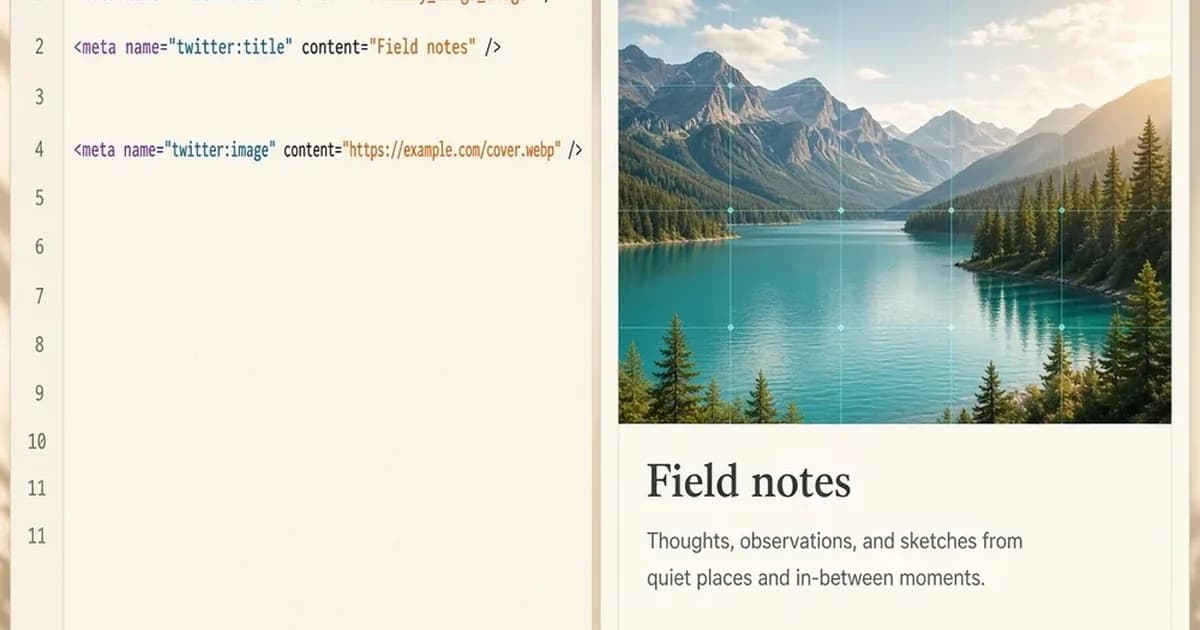
A Twitter card checker reads twitter:card and the tags around it, then shows an estimated card. The layout is the decision people skip.
On X, summary is the compact card, with a smaller image beside the text. summary_large_image puts a wide image above the title. If you never pick, X inherits the summary default, and that default is easy to miss.
This estimate always draws one wide image. A note under the card tells you when twitter:card is missing or is not a large-image card. X can also build its own preview from Open Graph when the Twitter tags are absent. The notes say which path this estimate used. The missing Twitter card guide covers that fallback.
Social sharing on X is this layout plus two lines and a file. This is for people who post page links there and want the crop they chose. A Facebook link preview will not answer the layout question. If you never post on X, you can skip the Twitter tags and keep Open Graph for everyone else.
What the checker is deciding
Paste the link into the preview tool. OG Scope's Twitter card checker looks at twitter:card first. When that tag is missing, a note under the card says the estimate is using the summary layout, the historical default. The picture stays the same wide image.
Read the note. The shape of the mock stays wide either way.
<meta name="twitter:card" content="summary_large_image" />
<meta name="twitter:title" content="Field notes from a wet week" />
<meta name="twitter:description" content="Two lines that stand alone in the feed." />
<meta name="twitter:image" content="https://example.com/covers/field-notes.webp" />
twitter:title is the headline. twitter:description is the short text. twitter:image is the file.
twitter:site and twitter:creator are the site and author handles. They do not replace the title or the image.
A handle with no picture is still a thin card. Set the handles when you want them. Do not expect them to rescue a missing file.
Player cards and app cards need more than an image and a title. Those values can appear in the metadata table. The drawing stays the same wide image, and a note says the estimate is using the summary layout. If you are shipping a player card, trust the table.
The large-image choice, sometimes written as a summary large image card, is the one that needs a real picture. The compact card can survive a modest file beside the text. The wide card cannot. If the image is the point of the post, set summary_large_image on purpose and then make sure the file loads.
Fallbacks, and the missing-image flag
X can use Open Graph tags when the Twitter-specific ones are absent. twitter:title falls back to og:title, then the page title. The card notes that. twitter:description falls back to og:description, then the meta description. The guide to og:description and twitter:description covers length and fallbacks. The X card does not print the description or that label. Read the description in the tag list.
twitter:image falls back to og:image. The card notes that fallback. Believe the note.
The checklist still marks a Twitter image as missing when only the Open Graph image exists. Both facts can be true at once. The picture may appear because of the fallback, and the Twitter image tag can still be absent.
If you want the card to depend on a tag you control, set twitter:image. If you are fine with the fallback, expect the checklist to keep the warning. That warning is accurate. It is not a bug in the estimate.
In that fallback, the Open Graph image is the file URL in the og:image tag, and it has to load on its own. Size, a timeout, and a response that is not an image belong on an OG image checker.
OG image size is a file question. Card type is a layout question. Mixing them up is how a broken URL turns into a long argument about summary versus summary_large_image.
og:type does not select the large card. A value of article will not turn a compact card into a wide one. Only twitter:card does that.
On this card, the Open Graph tags fill gaps: og:title, og:description, and og:image stand in when the matching Twitter tag is missing. They are the safety net, not the layout switch. Every other tag can be complete and the card can still be on the summary default, because the page never published twitter:card.
A link preview on X is the layout that was picked, plus the text and the file. Any third-party mock, this one included, is an estimate, not X's renderer. When a card on X looks wrong, first settle which layout was meant. A large image with a weak sentence is a different repair from a compact card that quietly fell back to the HTML title.
What the estimate will not settle
The social media preview on X can still differ from the estimate after the tags ship. This kind of preview tool reads public HTML and draws one wide image. A note records when it is treating the card as summary. It does not claim to be the official card, and it is not affiliated with X.
An Open Graph preview is the wider read across networks. An Open Graph checker, or an Open Graph debugger, lists the og tags in one place. Use that when the fallback path is what you are debugging and the Twitter tags are intentionally thin. A meta tags analyzer also shows the document title, the canonical link, and robots rules.
A meta tags analyzer tool is that wider pass with a box to paste a URL. The right tool is needed when the head is a mess. Discovering that twitter:card is missing is slow, as you can see in the note under the card.
A Facebook link preview has its own crop and its own cache. Use the 1.91:1 crop check when the file is the problem, not the Twitter layout. The facebook debugger refreshes Facebook's stored scrape. It does not set your Twitter card type, and it will not add twitter:image for you. A LinkedIn preview ignores twitter:image unless you also set og:image.
A clean Twitter check is not a LinkedIn check. Run the one that matches the network you are about to use.
Do not stuff the search snippet into twitter:title to make the fields match. Metadata SEO and this card are easy to tangle. Keep them apart. Write the feed line for a person scanning a post.
The og data from Open Graph can fill holes. It will not choose summary_large_image for you. If the large card is what you want, the tag has to say so.
Before you post
On the live URL:
twitter:cardissummaryorsummary_large_imageon purpose, not an unlabeled default you overlooked.- You write the title for the feed, or you accept the
og:titlefallback and the note that records it. You write the description too, and you read it in the tag list. - The image tag you mean is present. If the checklist says the Twitter image is missing, you know the picture is only coming from
og:image. - The file loads. The image checker checks pixel size and load errors, rather than relying on the card mock.
- Handles are extra. They are not the headline.
- You did not expect a player card to appear as a rendered video.
Set the card type, read the notes under the X card, then post. The note is how you catch a summary default before the link is out. The drawing itself stays a wide image.