

Missing Twitter Card: Why the Preview Fails
A missing twitter:card tag makes X guess the layout. See when Open Graph tags are enough, when the card stays blank, and which tags to include.
By Abid Ali, maintainer of OG Scope
Published
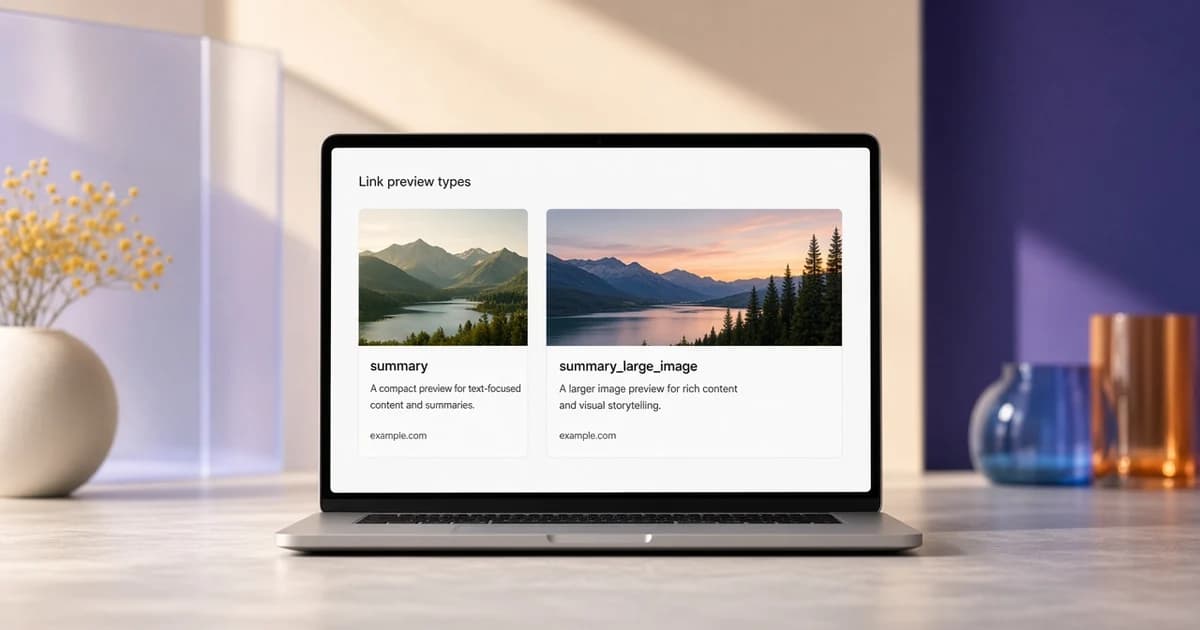
A missing twitter card means the page has no twitter:card tag. X can still draw a preview from Open Graph tags. The layout is the part that becomes a guess. When twitter:card is missing, the page has not asked for the wide image card, even if og:image is a 1200 x 630 picture.
Add the tag when the large image card is the one you want, or when the X title, description, or image should differ from the Open Graph values. The Twitter card checker guide walks through each twitter: tag. This page is what to do when the card tag itself is absent, and when a twitter card not showing is really a broken image.
The tags that choose the layout
summary_large_image is the value for a wide picture. summary is the smaller thumbnail beside the text. Title, description, and image can be omitted when the Open Graph tags already say the same thing. Set them when the X card should say something shorter, or point at a different file.
<meta name="twitter:card" content="summary_large_image" />
<meta name="twitter:title" content="Field notes from a wet week" />
<meta name="twitter:description" content="What changed, in two lines, for someone who has not opened the page." />
<meta name="twitter:image" content="https://example.com/covers/field-notes.jpg" />
Put these in the HTML the server sends. A tag added by JavaScript after the page loads is invisible to the crawler, so it still counts as twitter:card missing. View the page source on the live URL. If name="twitter:card" is not in that response, the layout was not chosen by the page.
Use property for Open Graph tags and name for Twitter card tags. Swapping those attributes does not always break a lenient parser, and it does fail a strict one. Keep the image URL absolute and on https. A path that starts with a slash is a second way for the picture to drop out after the card type is correct.
Twitter card fallback
The twitter card fallback is the set of Open Graph tags X can read when the twitter: tags are empty. It fills text and, often, the image. It does not let the page pick the large layout by itself.
- No
twitter:title: X can useog:title, then the HTML title. - No
twitter:description: X can useog:description, then the meta description. - No
twitter:image: X can useog:image. - No
twitter:card: the layout is not chosen by the page. A wide image can still be fetched and then shown small, or the card can omit the picture.
That fallback does not help when og:image is missing or the file will not load. A twitter card not showing, with no picture and sometimes no title, is an image and title problem, not only a missing card tag. The missing og:image guide covers the file itself: a relative URL, a login wall, a tiny image, and a file that returns HTML.
If Open Graph and Twitter card tags disagree, the Twitter card values are the ones meant for X. A long og:title can stay on Facebook while twitter:title carries a shorter line. Do that on purpose. Leaving both tags half filled, with an empty twitter:image content attribute, can block the fallback to og:image. Omit the twitter tag entirely when the Open Graph value should be used.
Which value to set
Use summary_large_image for an article, a product, a landing page, or any URL where the picture is part of the message. The image should be the usual large-card size, 1200 x 630, with the subject away from the edges. Use summary when a small mark is enough and the title should carry the card, for example a docs page or a short note.
player and app are separate card types for a video player and an app install. They need extra tags this guide does not cover. A normal article should not use them. A wrong card type is a different failure from a missing twitter card: the tag is present, and the layout is one the page did not mean to request.
One card type per page is enough. Repeating twitter:card with two values leaves the crawler to pick. Put a single tag in the head, in the same response as og:title and og:image, so the fallback has something to read if a twitter field is left out.
Mistakes that look like a missing tag
A duplicate head from a template and a plugin can print two twitter:card values. Keep one. An image URL with a space, or a URL that redirects to HTML, fails after the card type is correct. Fix the file before you change summary to summary_large_image again.
A page that is blocked for bots, or that returns a different HTML document to a datacenter request than to a browser, will look fine in view source on your machine and empty in the checker. Compare the two. The crawler result is the one X can fetch.
Check what the server sent
Paste the URL into the Open Graph checker. The metadata table lists twitter:card and marks it when the tag is absent. The estimated X card notes when it is using the summary layout because the tag was not found. Compare that with the Open Graph image on the same result before you change the template.
The Open Graph preview guide shows how a card is assembled from those tags. The X card in the checker is an estimate, not a screenshot of X, and this site is not affiliated with X. If the estimate has no image, adding twitter:card alone will not invent a file.
After the tags are deployed, share the URL in a new post. X can keep a card it already stored for that address. Posts that are already live can keep the old preview. A changed image URL, not only a changed tag, is what forces a new fetch of the picture.