

Shopify & Magento 2 Open Graph Tags: Setup Guide
Where Shopify and Magento 2 print Open Graph tags, which store fields fill them, and how to fix missing images, wrong titles, and duplicate tags on a shop.
By Abid Ali, maintainer of OG Scope
Updated · First published
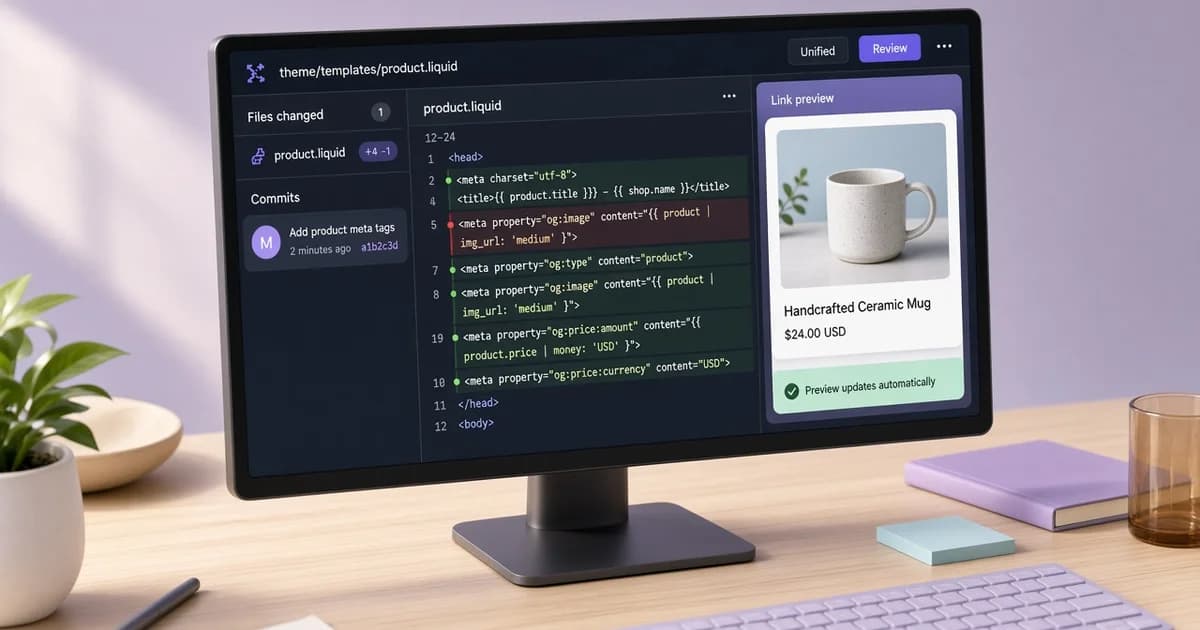
Shopify open graph tags come from the theme, and Magento 2 prints them from its product templates. In both systems the card a shared link shows is built from store fields: the product name, the search listing text, and the main product image. Fixing a card usually means changing the right field, not writing new HTML.
A finished product page prints a set like this in the HTML head:
<meta property="og:type" content="product" />
<meta property="og:title" content="Speckled ceramic mug" />
<meta property="og:description" content="A 350 ml stoneware mug with a speckled glaze." />
<meta property="og:url" content="https://shop.example.com/products/speckled-mug" />
<meta property="og:image" content="https://shop.example.com/images/speckled-mug-1200x630.jpg" />
<meta property="og:site_name" content="Example Shop" />
This guide covers where each platform prints the tags, which fields fill them, how to add tags where they are missing, and the problems that show up most often on store pages.
Shopify og tags: where they come from
Shopify does not add Open Graph tags on its own. The theme does. Themes from the Shopify Theme Store include a snippet, usually named meta-tags.liquid, that the main layout renders inside the head. A simplified version looks like this:
{%- comment -%} snippets/meta-tags.liquid {%- endcomment -%}
<meta property="og:site_name" content="{{ shop.name }}">
<meta property="og:url" content="{{ canonical_url }}">
<meta property="og:title" content="{{ page_title | escape }}">
<meta property="og:description" content="{{ page_description | escape }}">
{%- if page_image -%}
  <meta property="og:image" content="https:{{ page_image | image_url: width: 1200 }}">
{%- endif -%}
The Liquid objects fill the values per page. page_title and page_description come from the page's search listing, canonical_url is the clean page address, and page_image is the image Shopify picks for that page. Themes usually set og:type to product on product pages, article on blog posts, and website elsewhere. Product pages often add price tags as well.
Paste a product URL into the Open Graph checker to see the tags the theme prints and an estimated card for each platform.
Which Shopify fields fill the card
| Tag | Usual source in the admin |
|---|---|
| og:title | Search engine listing title, or the product name |
| og:description | Search engine listing description |
| og:image | Featured product image, article image, or collection image |
| og:image on the homepage | Social sharing image in Online Store, Preferences |
| og:site_name | The store name |
The Shopify social sharing image in Online Store, Preferences is the fallback for pages without an image of their own, such as the homepage and plain content pages. Upload a wide image there so those links do not share without a picture. The OG image size tool crops a file to 1200 x 630 in the browser.
Magento 2 open graph tags
Magento 2 prints a basic set of Open Graph tags on product pages in the default Luma setup: og:type product, og:title, og:description, og:url, og:image, and price tags. In the default template the title comes from the product name and the description from the short description, rather than from the meta title and meta description in the Search Engine Optimization section.
Category pages, CMS pages, and the home page do not get Open Graph tags by default. Without them, platforms fall back to the HTML title and meta description and guess at an image. A custom theme can add a template to the head of those page types through layout XML:
<!-- app/design/frontend/Vendor/theme/Magento_Cms/layout/cms_page_view.xml -->
<page xmlns:xsi="http://www.w3.org/2001/XMLSchema-instance"
      xsi:noNamespaceSchemaLocation="urn:magento:framework:View/Layout/etc/page_configuration.xsd">
  <body>
    <referenceBlock name="head.additional">
      <block class="Magento\Framework\View\Element\Template"
             name="cms.opengraph"
             template="Magento_Cms::opengraph.phtml" />
    </referenceBlock>
  </body>
</page>
The template prints the tags from the page's own title, meta description, and a chosen image. SEO extensions cover the same gap and often let the store set a separate social title and image per page. Use one approach, not both, so each tag is printed once.
og:type product and price tags
On a product page, og:type product tells platforms the link is an item for sale. Both systems commonly add a price and currency next to it. Shopify themes usually print og:price:amount and og:price:currency; Magento prints product:price:amount and product:price:currency. Whether a platform shows the price on the card varies, so keep the product name and the key detail in og:title and og:description as well. The og:type guide covers the other type values.
Common store problems
- Duplicate tags. A theme prints Open Graph tags and an SEO or review app prints a second set. Platforms may read either one.
- Square or tall product photos. Wide cards can crop them, which can cut off part of the product.
- Empty search listing text. The description falls back to the start of the product description, which can be a size chart or shipping note.
- Missing tags on non-product pages. Common on Magento category and CMS pages.
- Changes that do not appear. Magento's full page cache still serves the old HTML until the cache is refreshed.
- Old cards on social platforms. A platform that stored the card keeps it until it fetches the page again.
Refreshing a stored card
Store changes reach new shares only after the platform fetches the page again. Facebook's Sharing Debugger and LinkedIn's Post Inspector can request a fresh fetch. The Facebook link preview guide explains how that cache behaves.
Check a store page before sharing
- Open one product, one collection or category, and the homepage.
- View the source and search for og:title on each.
- Confirm each tag appears once, with an absolute image URL.
- On Magento, refresh the cache first if anything changed.
Run each URL through the Open Graph checker to see the image it reads, whether the file loaded, and its size when it can be read. Fix the store fields first, then check the live product URL again before the link goes into a campaign.