
Guide
Why Google Rewrites Your Title Tag (and How to Check)
Why a Google result can use a different headline than the title element, what a SERP preview can show, and how to compare the two on a live search.
By Abid Ali, maintainer of OG Scope
Published
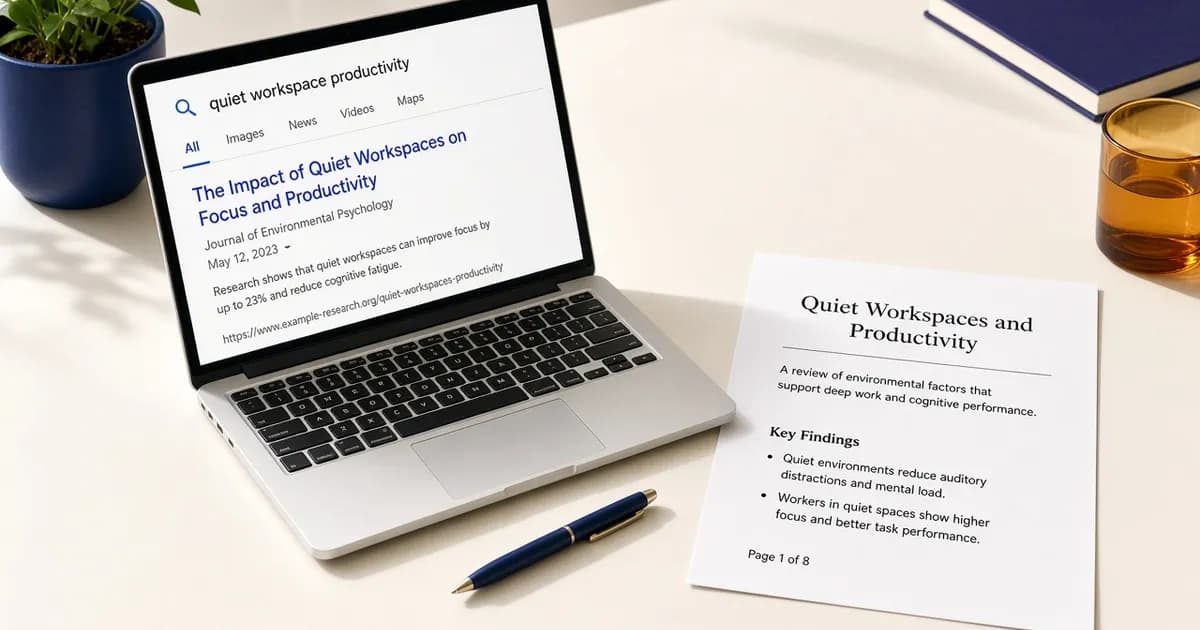
Google rewrites title tag text when the headline in a search result is not the text inside the title element. Google calls that headline a title link. It is chosen automatically from the page and from how other pages refer to it. The element is a preference, not a string Google has to display.
The SERP preview shows the title element from the first HTML response, fitted to an estimated result. Where that text comes from is already on the tool page. This guide is the gap between that estimate and a live result: why the words change, and how to check which string you actually published.
Where a title link can come from
Google's title link documentation lists the sources it uses. The title element is one. Others include the main visual title on the page, heading elements, og:title, other text that is large and prominent, other text on the page, anchor text on the page, the text of links that point at the page, and WebSite structured data.
There is no length limit on the title element. The title link is shortened to fit the device. Shortening keeps the same sentence and cuts the end. A rewrite swaps in different words. Those are separate outcomes. A result that still starts with your sentence and ends in an ellipsis was truncated. A result that uses the H1, or drops a repeated site name, was rewritten.
Google says generation is automated, and that it cannot manually change title links for a site. Editing the element is the change you can publish. Google notices it after a recrawl, which the same documentation says may take a few days to a few weeks.
Issues that lead Google to replace it
The documentation groups the common cases. A half-empty title, such as a brand name with nothing about the page, can be filled from a heading. An obsolete title, such as last year's date while the visible heading shows this year, can be updated from that heading. An inaccurate title, one that does not match the page, can be narrowed to what the page is actually about.
Boilerplate does the same. The same long sentence on every URL, with only one word changing, gives Google little to distinguish the pages. So does a set of pages that share one title while a large heading on each page carries the missing detail, such as a season number. Google says it may insert that detail into the title link.
Several headings with the same visual weight leave no clear main title. Google says it may then use the first heading. A title in a different language or writing system from the page can be replaced with text that matches the page. A site name repeated in every title element may be left off the title link when that name is already shown as the site name on the result.
The fixes follow those cases. Give each URL its own title. Match the visible heading. Keep the site name short, at the start or the end, with a hyphen, a colon, or a pipe. Do not stuff the element with repeated keywords. Google says that pattern does not help a reader and can look spammy. Keyword advice for og:title, which is the share-card headline, stays on the og:title guide.
What the SERP preview can and cannot show
A SERP preview answers a layout question. It takes the title element, or the title you type, and shows how much of that line fits an estimated desktop or mobile result. Character count and pixel width are different measurements on that tool. A short line of wide letters can still exceed the width, and a longer line of narrow letters can fit. Google's own note is the device width, not a character quota. Use the preview to see whether the sentence you wrote is likely to be cut. Do not read the card as the title link Google will choose.
The preview does not apply Google's replacement rules. It will not swap in the H1, drop a stale year, or pull anchor text from another site. It also does not run the page's scripts, so a title that appears only after the app boots stays off the form. If the form is empty and the browser tab shows a title, the element is not in the HTML response. That is a missing title in the response, not a rewrite.
Compare the element with the result
Fetch the public URL in the SERP preview or the meta tag checker and copy the title element. Then search for the page and read the title link. The same words, possibly shortened, mean Google is using the element and the width is the only difference. Different words mean a replacement. Compare those words with the H1, with og:title, and with the link text you use elsewhere on the site.
Change the element when it is empty, shared across many URLs, out of date, or in a different language from the page. Publish it in the HTML, fetch the URL again, and confirm the checker shows the new sentence. The live result can keep the old title link until Google recrawls. Requesting a recrawl is optional and does not make the preview the result.
If the element is already specific and it still differs, Google may be preferring text that matches the query. The documentation says to look at whether that title link fits the query better. The preview remains the check for the sentence you published, and for whether that sentence fits a width. It is not a report of the title link Google is showing today.
Check the live URL
Paste the page into the Open Graph checker to see the tags the server sends.
Open the Open Graph checker