

Telegram Link Preview: Tags, Image, and Cache
A Telegram link preview is built from Open Graph tags. See which tags matter, how large the image should be, and why an edited page can keep an old card.
By Abid Ali, maintainer of OG Scope
Published
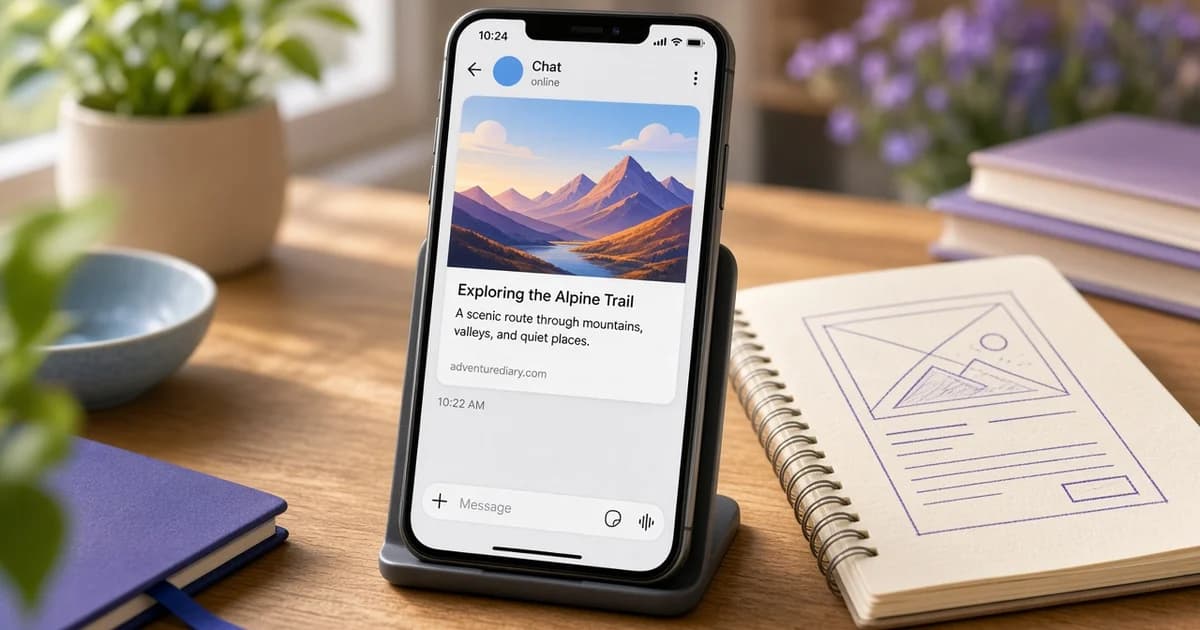
A Telegram link preview is the card that appears in a chat under a URL: a title, a short description, and an image. Telegram builds it from the page's Open Graph tags. The same og:title, og:description, and og:image that shape a Facebook or WhatsApp card shape this one.
There is no public debugger for clearing a stored card. The practical check is the HTML the server sends, then a new message. The WhatsApp link preview guide covers a similar limit in another chat app: the card is attached when the message is composed, and an old message keeps what it was sent with.
Tags Telegram reads
Put the tags in the head of the HTML the server returns. A tag added only by JavaScript is missed, because the fetch reads the first response and does not run the page.
<meta property="og:title" content="Spring planting workshop, March 14" />
<meta property="og:description" content="A two-hour session on seed starting and bed preparation." />
<meta property="og:image" content="https://example.com/events/spring-workshop.jpg" />
<meta property="og:image:width" content="1200" />
<meta property="og:image:height" content="630" />
<meta property="og:url" content="https://example.com/events/spring-workshop" />- og:title is the bold line. Put the subject first. Chat bubbles are narrow, and a long title is cut.
- og:description sits under the title, often in a line or two. Write it as a sentence that makes sense without the page.
- The telegram preview image is og:image. Use an absolute https URL that loads without a login.
- og:url should be the canonical address of the page, the same URL you expect people to share.
Twitter card tags are not a substitute. If og:title and og:image are missing, a twitter:title on the same page does not fill the Telegram card. Set the Open Graph tags first. Add twitter: tags only when X should differ.
The telegram og image
The telegram og image follows the same shape as other large cards. 1200 x 630 pixels is the size most often used, with the subject near the center, because some layouts crop the edges. Keep the file light. A very large original is more likely to be skipped or shown as a small thumbnail. JPG is a safe choice for a photo. PNG suits a flat graphic. WebP can work, and a JPG copy is the safer file when a chat client has been picky about format.
The URL has to be public. Open it in a private window. A 404, an HTML error page, or a redirect to a login form will not become the picture. A relative path such as /events/spring-workshop.jpg depends on the crawler resolving the host. Write the full https address.
The OG image guide covers the tag itself. Crop to 1200 x 630 in the OG image size tool before you upload, and keep the important part of the picture away from the edges.
A telegram cached preview
A telegram cached preview is the card Telegram stored for that URL. The card is attached when the message is composed. A later edit to the page does not rewrite messages already sent. A new share of the same URL can also keep a stored copy for a while. There is no public button that forces a refresh, and this guide does not claim a fixed number of hours or days.
Sending the link with a harmless query string, such as ?v=2, can compare the plain URL with an address Telegram may not have stored. A different card on that address suggests the plain URL is still using a stored preview. Changing the image filename, not only the bytes at the old filename, avoids a stored copy of the old picture.
If the new address still shows the old title, that suggests the fetched HTML is unchanged. It does not prove it. A blocked fetch, a login wall, or an image URL that still points at the old file can produce the same card. View the page source of the response Telegram would receive. The tags have to be in that document. A preview component that updates after hydration is not what the fetch reads.
Pages that never produce a card
A URL that redirects to a login page, a file download, or a page with no Open Graph tags will not grow a card. Check the final URL after redirects, not only the short link you pasted. The tags have to be on that final document.
A private channel or a page behind a password has nothing for Telegram to read. The preview is for a public https URL. A localhost address, an IP that only your office can reach, or a host that blocks datacenter requests will fail even when the tags look right on your laptop.
Very long titles and descriptions are cut in the chat bubble. Put the fact in the first few words of og:title. Leave the rest of the story in og:description and on the page. One image is enough. Extra og:image tags do not guarantee a gallery inside the chat preview.
Check the page, then send a new message
Paste the page into the Open Graph checker first. The Telegram card there is an estimate from those tags, not a screenshot of the app, and this site is not affiliated with Telegram. The image panel shows whether the file loaded and the pixel size when it can be read. A warning under about 200 pixels on a side means the file is a poor candidate for a large card.
When the estimate has the title, the description, and a loaded image, send the URL in a new chat. If that message is still wrong, compare it with a ?v=2 copy of the same URL. A difference suggests the clean URL is still serving a stored card. No difference is a clue to check the fetched HTML, access rules, and the image URL. It does not by itself prove the file is old.