Guide
Pinterest Rich Pins: Open Graph Tags and Validation
Pinterest Rich Pins read article, product, or recipe tags from the page. Check those tags here. The help article does not offer a public validator.
By Abid Ali, maintainer of OG Scope
Published
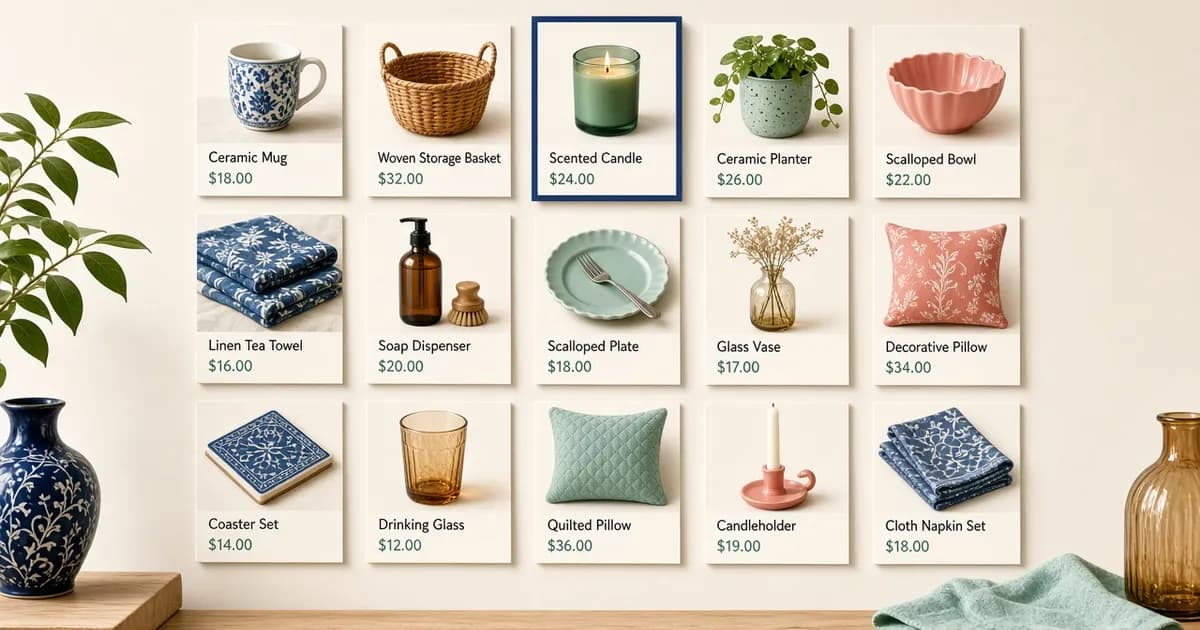
Pinterest Rich Pins add site data to a Pin: a headline and author for an article, a price for a product, or ingredients for a recipe. Pinterest's rich Pins help article says the extra lines come from tags on the page, and that a change on the site can sync to the Pin. The same article says that sync can take up to 24 hours. It does not name a public validator.
The Open Graph checker reads the tags on a public URL and draws an estimated card for other networks. It is not Pinterest, and a pass there is not a Rich Pin.
Three types, and which one Pinterest uses
The help article lists recipe, article, and product. Recipe Pins can show a title, yield, cook time, ratings, diet notes, and ingredients. Article Pins show a title, description, and author. Pinterest says a list, or a page that is mostly images with little text, is not an article. Product Pins show price, availability, and product details, and only when the product is in stock and the site meets Pinterest's merchant guidelines.
Pinterest's developer overview says that if a page has metadata for more than one type, the Pin follows a priority: Product Pins, then Recipe Pins, then Article Pins. That overview still says Rich Pins apply after you have applied for them. The help article does not describe an application step. It says pages with the correct tags appear as Rich Pins when a new Pin is created, and that existing Pins which link to those pages become Rich Pins too. Follow the help article for the step you can do on the page: publish the tags, then save the Pin.
A manual edit of a recipe or article Pin overwrites the synced metadata, according to the help article. Product information is shown only when the price is current, the data has been updated recently, the item is in stock, and the merchant guidelines are met.
Article tags
Article rich Pins can use Open Graph or Schema.org. The help article's Open Graph sample, and the article Pin documentation require three properties: og:type article (the developer table also allows blog), og:title for the headline, and og:description for the summary. Both text values can be truncated, and HTML in them is stripped.
<meta property="og:type" content="article" />
<meta property="og:title" content="Field notes from a wet week" />
<meta property="og:description" content="What changed on the trail, in two sentences." />
og:site_name is optional and strongly suggested. og:url, og:image (up to six), section, and tag are optional on that developer table. Schema.org Article is the other format. Its required fields are url, name, and description. Schema.org has no site-name property, so Pinterest still asks for og:site_name beside it. The og:type guide is where website and article are compared for other networks.
Product tags
Product rich Pins, in Open Graph, require og:type of product or og:product, og:title, product:price:amount, and product:price:currency. The amount has no currency symbol. Pinterest's product Pin documentation says this Open Graph set works for a page with a single product. The Pin must link to a page where the item can be bought. A catalog that only points at another shop is outside that use.
<meta property="og:type" content="product" />
<meta property="og:title" content="Copper bookmark" />
<meta property="product:price:amount" content="15.00" />
<meta property="product:price:currency" content="USD" />og:description, brand, availability, and image are optional in that Open Graph table. Documented availability values include instock, preorder, backorder, out of stock, and discontinued. Schema.org Product can describe more than one product on a page. Required offer fields are price and priceCurrency, and the product needs url and name.
The Open Graph protocol does not list product as a global type. Pinterest's product page still requires it for this Pin. The Open Graph examples keep a general product share on website for that reason. Use product when the page is being marked up for Pinterest's product Pin. Pinterest also says a Shopify store already has the metadata it expects. What a current Dawn theme prints, including price amount and currency, is on the Shopify Open Graph guide.
Recipe markup
Recipe Pins use Schema.org Recipe or h-recipe, not an Open Graph type. The help article's Schema.org sample includes name, description, recipeYield, an ingredients value for each ingredient, and recipeInstructions. Ratings use Schema.org only, not h-recipe, and the help article says ratings show on iOS and Android. h-recipe uses p-name, p-ingredient, and the instruction block. Put that markup in the page HTML, not in a script that runs after load. The checker does not score recipe microdata.
Check the tags, then save the Pin
Confirm the required tags in the public HTML, then create the Pin from that URL. The help article says existing Pins that point at the page pick up the rich data as well, and that a manual title or description on a recipe or article Pin can overwrite what the site sends. Wait for the sync window the article states, up to 24 hours, before treating a missing line as a broken tag.
There is no control on this site that asks Pinterest to recrawl. The developer overview and the help article do not agree about an application step. Neither page links a working validator. Read the tags here, then look at the Pin on Pinterest.
To stop rich data on one page, both pages document this tag:
<meta name="pinterest-rich-pin" content="false" />The developer page says to put it in the head. The help article says it overrides rich tags on that page only. Other pages stay as they are until they carry the same tag. Removing the tag turns rich data back on. This is separate from an image attribute that blocks saving a picture.
Check the live URL
Paste the page into the Open Graph checker to see the tags the server sends.
Open the Open Graph checker