

301 vs 302 Redirects: Which to Use and How to Check
A 301 says a page moved for good, a 302 says the move is temporary. See what each status code tells browsers and search engines, when to use which, and how to check a live redirect.
By Abid Ali, maintainer of OG Scope
Published
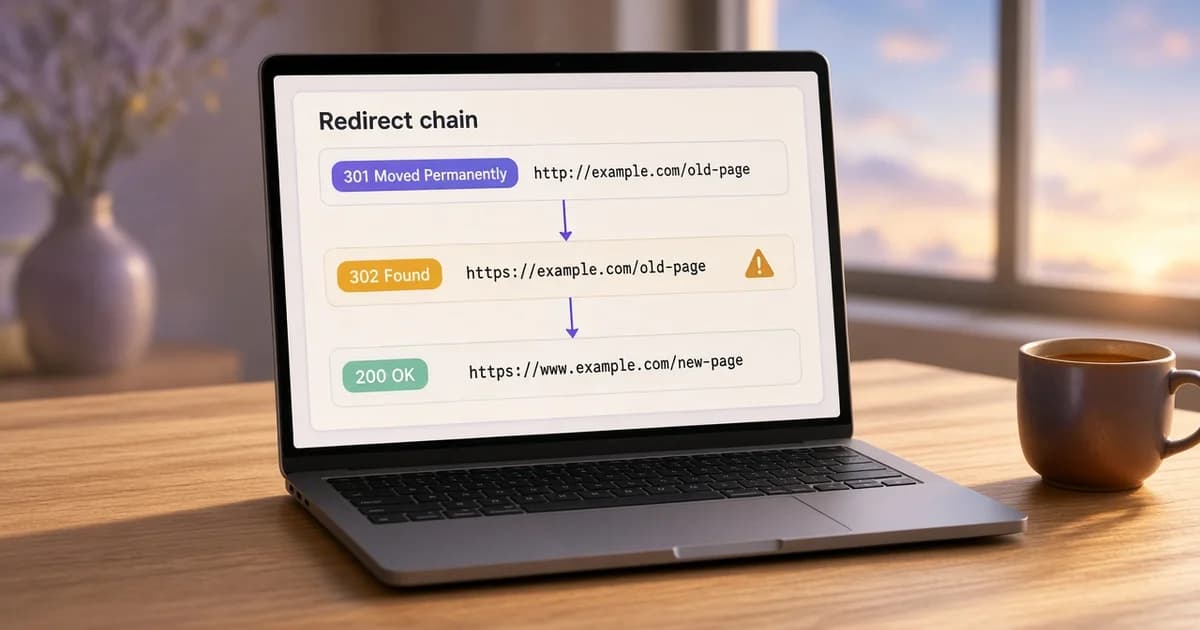
A redirect is a response that sends the visitor to a different URL. The status code on that response says how long the move is meant to last. In the 301 vs 302 redirect choice, a 301 says the old URL has been replaced for good, and a 302 says the content is somewhere else for now and the old URL is still the real one.
Browsers follow both the same way, so a visitor rarely sees the difference. Caches and search engines do not treat them the same. This guide covers what each code means, the related 303, 307, and 308 codes, when to use which, and how to check a redirect on a live URL.
What a 301 redirect and a 302 redirect mean
The HTTP specification, RFC 9110, defines both. A 301 redirect, "Moved Permanently", means the resource has a new permanent URI and future references ought to use it. A 302 redirect, "Found", means the resource sits temporarily under a different URI, so the client ought to keep using the original one.
Each response names the new address in a Location header:
HTTP/1.1 301 Moved Permanently
Location: https://www.example.com/new-page

HTTP/1.1 302 Found
Location: https://www.example.com/summer-sale
The specification also makes a 301 heuristically cacheable. Without explicit cache headers, a browser can store the 301 and skip the old URL on later visits. A 302 is not cached that way unless the response says so. That difference matters when a redirect has to be undone: a 302 stops at once, while a cached 301 can keep sending some visitors to the new address for a while.
Redirect status codes at a glance
| Code | Meaning | Request method | Google Search |
|---|---|---|---|
| 301 | Permanent | A POST may become a GET | Signal that the target is canonical |
| 308 | Permanent | Kept the same | Signal that the target is canonical |
| 302 | Temporary | A POST may become a GET | Not used as a canonical signal |
| 307 | Temporary | Kept the same | Not used as a canonical signal |
| 303 | See Other, usually after a form | Next request is a GET | Not used as a canonical signal |
307 vs 308: when the request method matters
For historical reasons, RFC 9110 lets a client change a POST into a GET when it follows a 301 or a 302. The 307 and 308 codes were added to close that gap: the client must repeat the same method. A 307 is the temporary version and a 308 the permanent one.
For ordinary pages, which are requested with GET, a 301 and a 308 behave the same way, as do a 302 and a 307. The choice matters for forms and API endpoints that receive a POST. Some frameworks send the newer codes by default. In Next.js, a redirect with permanent: true sends a 308, and permanent: false sends a 307.
How Google treats a permanent redirect and a temporary redirect
Google's redirects documentation groups the codes in two. For a permanent redirect (301 or 308), Googlebot follows it and the indexing pipeline uses it as a signal that the target should be canonical, so the new URL tends to replace the old one in results. For a temporary redirect (302, 303, or 307), Googlebot follows it but does not use it as that signal, which helps keep the original URL in results.
- A
meta refreshwith a 0-second delay is read as permanent. A longer delay is read as temporary. - JavaScript redirects are recommended only when server-side and
meta refreshredirects are not possible, because the redirect is seen only if the page renders. - For a site move, Google's site move guide says to keep the redirects for as long as possible, generally at least one year.
When to use a 301
- A page has a new URL, such as a renamed slug or a new folder.
- The site moved from http to https, or to a new domain.
- Two versions of one address exist, such as www and non-www, and one has to win.
- Two pages were merged, and the old one points at the page that replaced it.
When to use a 302
- A page is down for maintenance and visitors go to a notice page in the meantime.
- A short campaign sends a fixed URL, such as
/sale, to whichever page is current. - Visitors are sent to a language or country version that depends on the request, while the original URL stays the main one.
- A test sends part of the traffic to another version for a while.
If the old URL is not coming back, the redirect is permanent, even when the change feels recent. A 302 left in place after a migration is one of the most common redirect mistakes.
Setting up each redirect
Server rules are the most reliable kind of redirect. These examples follow the patterns in the Nginx and Apache documentation:
# Nginx
location = /old-page {
  return 301 https://www.example.com/new-page;
}
location = /sale {
  return 302 https://www.example.com/summer-sale;
}

# Apache (mod_alias)
Redirect permanent "/old-page" "https://www.example.com/new-page"
Redirect temp "/sale" "https://www.example.com/summer-sale"
In a Next.js app, redirects live in the config file:
// next.config.ts
export default {
  async redirects() {
    return [
      // permanent: true sends 308, permanent: false sends 307
      { source: "/old-page", destination: "/new-page", permanent: true },
      { source: "/sale", destination: "/summer-sale", permanent: false },
    ];
  },
};
Hosting platforms, CDNs, and CMS plugins often have their own redirect settings. Whatever writes the rule, confirm the status code on the live URL, because a plugin can default to a 302.
Common redirect mistakes
- A 302 for a permanent move. The old URL can stay in search results for longer than expected. Switch it to a 301 or 308.
- A redirect chain. http to https, then to www, then to a new path is three requests. Point the first URL straight at the final address.
- A loop. Two rules that send a URL back to itself mean the page never loads.
- Internal links left on the old URL. Every click pays for an extra hop. Update the links so they point at the final address.
- Every removed page sent to the homepage. A visitor looking for one article lands somewhere unrelated. Redirect to the closest replacement, or let the page return a 404 or 410.
To find internal links that still point at a redirect across a whole site, crawl it with the sitemap generator. Its Redirects list shows each linked URL that redirects and where it goes.
Redirects and link previews
A shared link that redirects still gets a card, but the card is usually built from the page the crawler reaches at the end. When the chain ends on the wrong page, the card shows that page's title and image. The og:url on the final page should name that same final address; the og:url guide covers how it relates to the canonical link.
Check a redirect on a live URL
- Paste the old URL into the redirect checker.
- Read the status code of each hop. A 302, 303, or 307 is flagged as a temporary redirect.
- Confirm the chain ends on a
200page at the address you expect, in as few hops as possible. - Repeat as a search engine bot or a link preview crawler when the site may answer them differently.
The checker follows up to 10 requests, follows meta refresh tags, and reports loops, chains, and hops from https back to http. Run the old URL through it after every migration, then open the final page in the Open Graph checker if the link will be shared.