

Facebook Link Preview & Debugger
Learn which tags shape a Facebook link preview, how the wide crop works, and why a cached card can ignore the latest change you just shipped.
By Abid Ali, maintainer of OG Scope
Updated · First published
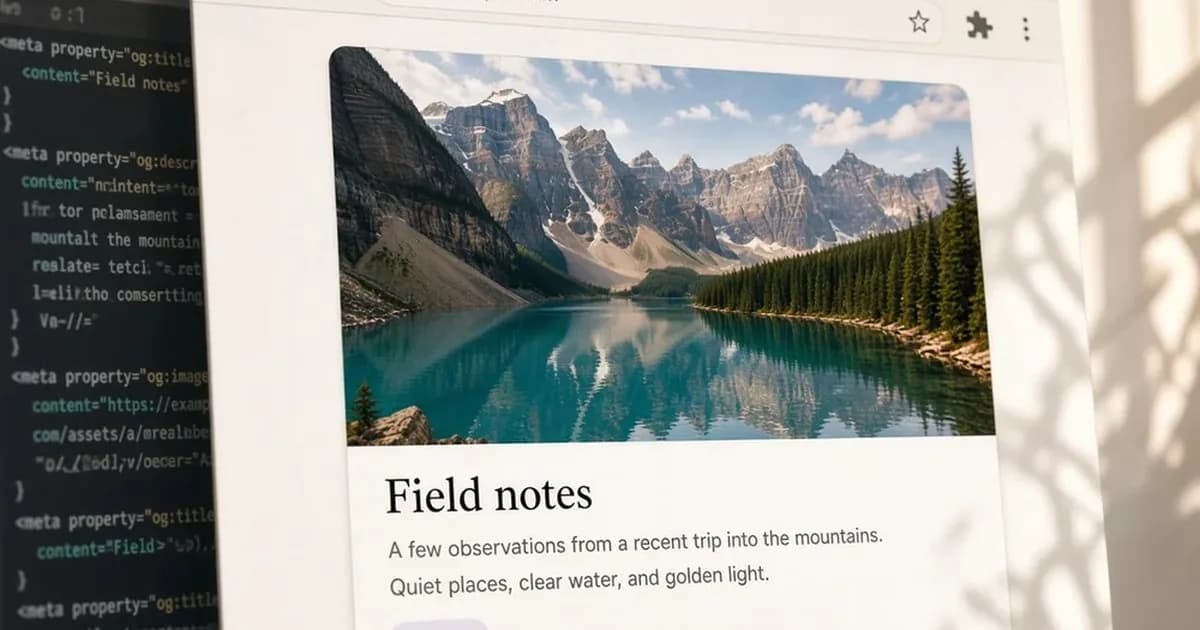
When someone pastes a public page into Facebook, people get a Facebook link preview card. The headline, the short text, and the picture come from Open Graph tags on that page. You can inspect an estimate before you post. That estimate is not Facebook's cached copy, and it does not talk to Facebook.
Social sharing there fails in two different ways. The tags on the live page are wrong, or the tags are right and Facebook is still showing a fetch from last week.
Check those separately. This is for people who publish a page and then paste it. If you will never post the link on Facebook, keep the browser tab title and skip this.
What the estimated card reads
Paste the link into a preview tool that builds the card from the public HTML. On OG Scope's Facebook link preview, the headline comes from og:title and the picture from og:image. The domain line comes from og:url, which should be the canonical address of that page. The Facebook card here does not print og:description. Facebook's own card still uses that summary, so write it and read it in the tag list.
In the source, each of those is a meta tag with a property attribute. The headline is og:title, the picture is a <meta property="og:image"> line, and the address is og:url. og:type can sit beside them:
<meta property="og:title" content="Field notes from a wet week" />
<meta property="og:description" content="What changed, in two lines, for someone who has not opened the page." />
<meta property="og:image" content="https://example.com/covers/field-notes.webp" />
<meta property="og:url" content="https://example.com/blog/field-notes" />
<meta property="og:type" content="article" />
A wrong og:type rarely changes this card. A missing picture does.
If og:title is absent, the estimate falls back to the HTML title and labels that fallback. Read that label. A headline that looks finished may be the browser tab, rather than a line you wrote for the feed. If og:description is absent, the live card can fall back to the meta description. This Facebook estimate does not print that line or a label for it.
The og:title should be a sentence a person can scan. Very long titles are truncated, and there is no fixed character limit to aim for, so write the line people should see, check the estimate, and cut anything that would be missed if it disappeared. Keep the description to a couple of lines that make sense before anyone taps.
The OG image on this card is the file named in the image tag, not the first photo in the article. That file must be public. If the URL is relative, or the request returns an error, use an OG image checker. Rewriting the text will not create a file.
Title, description, image, and the canonical URL are the four tags Facebook's card uses, so write those before the other Open Graph tags. This estimate paints the title and the image. The description still belongs on the live Facebook card, so read it in the tag list.
When a link preview looks wrong on Facebook, check the picture first, then the two lines of text. If the card shows a different page altogether, the URL may redirect for Facebook's crawler: the redirect checker can follow Facebook crawler redirects hop by hop. Store pages have their own pattern, covered in the guide to Shopify product cards.
The wide crop
Facebook often crops a link image to about 1.91:1. This estimate shows the file at its own shape, so you can see the whole picture. The 1.91:1 frame is on the OG Image panel and the Slack card.
Put the important part of the picture near the middle. A face or a word on the edge is the part that gets cut. A 1200 x 630 file gives that crop enough pixels to stay sharp.
OG image size matters once the file loads at all. A picture can return status 200 and still look soft, or still lose the subject.
JPG, PNG, and WebP are the reliable formats. Type on the image has to be large. Fine print turns into gray mush at card size.
The image value itself has to be an absolute https URL. A path like /cover.jpg is a common reason the picture area is empty while the page looks fine in your browser. Your browser resolves that path because it already knows the site. A crawler is stricter.
Why the live card stays old
Facebook caches link metadata. Changing a tag on your site does not always update a card that someone fetched earlier. Facebook's Sharing Debugger, often just called the Facebook debugger, is the official way to ask for a new fetch. Use it when the estimate is already correct and Facebook is still wrong.
Rescrape once, then look again. Hammering the button does not repair a bad image URL.
The estimate and the live card address different things. The system produces the estimate based on the HTML it just retrieved. It doesn't call Facebook, so the card uses the "estimated preview" label. It isn't an official rendering and has no connection or affiliation with Meta.
A social media preview inside Facebook can keep yesterday's image on an old post even after a fresh scrape. New shares pick up the new fetch. An older post can keep the attachment it already saved.
If the debugger shows the right file and one old post does not, stop editing the HTML. You are looking at a cache.
Which check belongs where
An Open Graph preview lists the whole card, across the tags. Use this Facebook view when you want the title fallback label on the Facebook card. Use the OG Image panel when you want the 1.91:1 frame. Use an Open Graph checker or debugger when you need every page tag. Use one if you are not sure which tag won.
A meta tags analyzer lists the document title, the canonical link, robots rules, and the social tags together, with a box for a URL. Reach for it when two plugins are both writing the head and the card title is surprising.
A meta description checker only scores the search snippet: length, a duplicate, a missing line. Repairing the meta description does not fix the Facebook card, unless og:description is missing, in which case Facebook may fall back to that snippet.
The search result and the share card are different screens. Copying one into the other by default often leaves a card that reads like a search snippet.
A LinkedIn preview and a Twitter preview are separate cards with separate caches. A Twitter card checker will not tell you what Facebook stored. Do not treat one green check as a pass for all three.
Meta also runs WhatsApp, but WhatsApp link previews are built inside the chat app and kept with each message, so the Sharing Debugger does not refresh them.
Before you share
On the live URL, not a draft host:
og:titleis a sentence someone can scan, not a brand-stuffed browser tab.og:descriptionis a couple of lines written for the card.- The image is about 1200 x 630, absolute, subject in the middle.
- If
og:titlewas missing, you read the title fallback label instead of trusting the headline. - The image URL loads. If it does not, the image checker comes before another title edit.
- When Facebook itself is stale, you used the Sharing Debugger.
Confirm the estimate, then check Facebook's copy if someone shared the link before. The page can be solid and the Facebook link preview can still be yesterday's card.